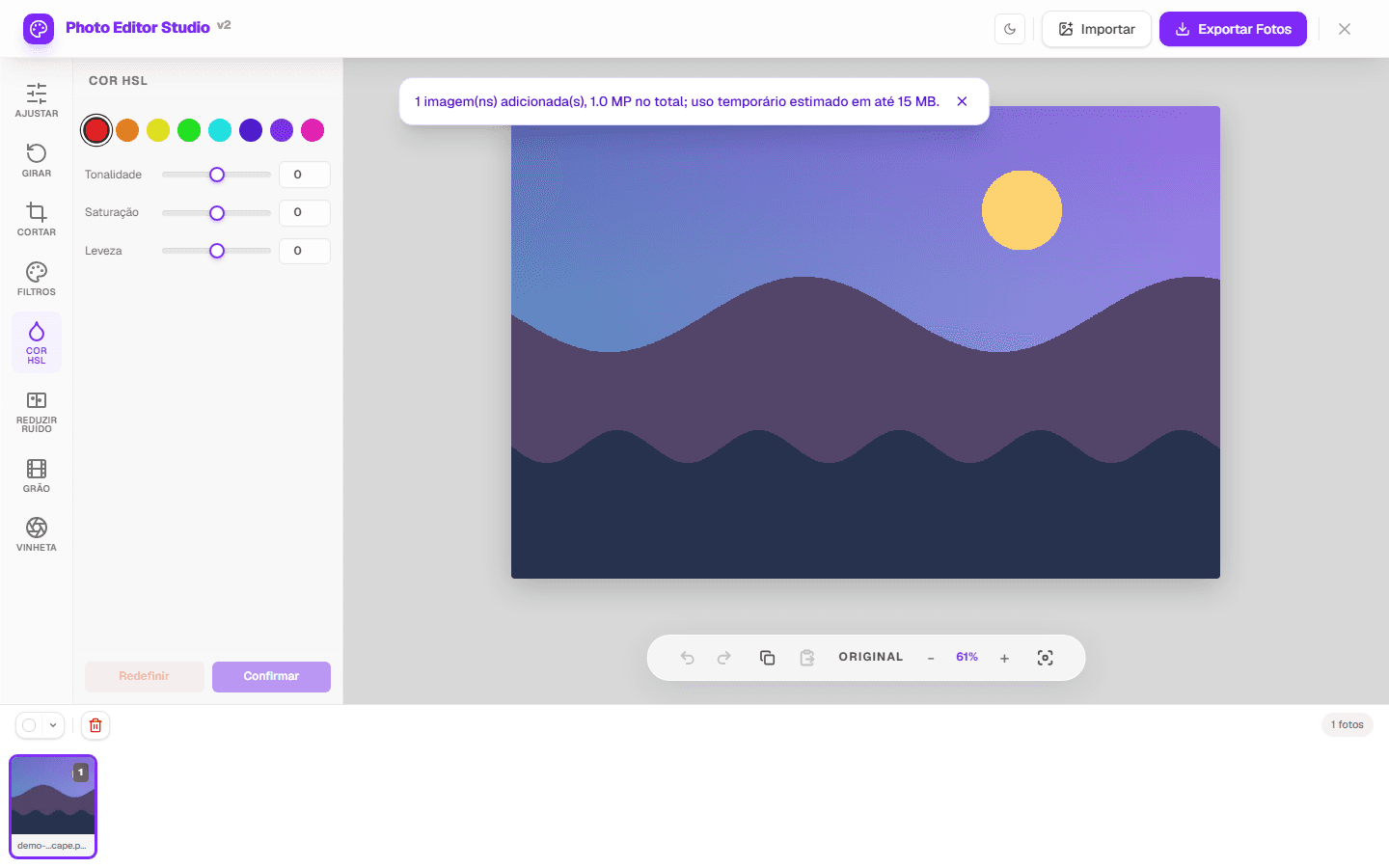
HSL color adjustment is useful when a global correction would change areas that are already balanced. PhotoEditor.Studio currently separates the image into eight ranges—red, orange, yellow, green, cyan, blue, purple, and magenta—and provides hue, saturation, and luminance controls for each.
What hue, saturation, and luminance change
Hue shifts pixels in the selected range toward neighboring colors. Saturation increases or reduces that range's intensity. Luminance lightens or darkens pixels classified within it. These controls do not recognize objects: a blue shirt and blue sky may change together.
Range boundaries are not rigid masks. Nearby colors can receive part of the effect to avoid abrupt transitions. Treat the range name as a starting point, not a promise of isolation.
| Situation | First control | What to inspect |
|---|---|---|
| Overly intense sky | Blue/cyan saturation | Reflections, clothing, and cool shadows |
| Yellow-looking foliage | Green/yellow hue | Skin, wood, and warm light |
| Strong skin color | Orange/red saturation | Lips, clothing, and background |
| Dark color with little detail | Range luminance | Noise and lost detail |
A repeatable editor workflow
- Open a photo. Choose a compatible file or use the demo on the HSL editor page.
- Make necessary global corrections first. Exposure and tone should be reasonably balanced before selective color work.
- Open “Color HSL”. Select the range closest to the color you want to change.
- Change one control at a time. Start with small values and compare the original with the edited preview.
- Inspect the full image. Look for other areas of the same color and check transitions along edges.
- Export a new copy. Choose JPEG or PNG; WEBP output appears only when the browser supports encoding.
How to diagnose an adjustment
Blues and cyans
Sky and water rarely occupy only one range. Alternate between blue and cyan, use small changes, and inspect neutral areas carrying cool reflections. Excessively dark luminance can make noise or compression artifacts more visible.
Greens and yellows
Lit foliage often approaches yellow while shaded leaves can lean toward cyan. A coherent correction may require different values in two ranges. Do not use heavy saturation as a substitute for contrast.
Reds and oranges
These ranges often include skin, wood, fabric, and warm light. For portraits, favor restrained changes and inspect the face, hands, and background together. HSL has no person mask or semantic object detection.
Current limits and verification
- The feature works by color range, not by object or layer.
- Results depend on source pixels and display reproduction; there is no advanced ICC profile workflow.
- Animated GIF is treated as static, and metadata such as EXIF may not be retained.
- Large files depend on decoded pixels, available memory, and the browser.
We verified the behavior with a controlled project-owned image: an automated test opens HSL, changes a range, confirms a real pixel difference, and validates exported file signatures. The screenshot above is generated from the running product rather than a UI mockup.
The visual HSL data guide publishes the source, three PNG exports, their settings, and measured RGB differences. It also shows why one range can reach separate areas that share nearby colors.